
Пример настройки
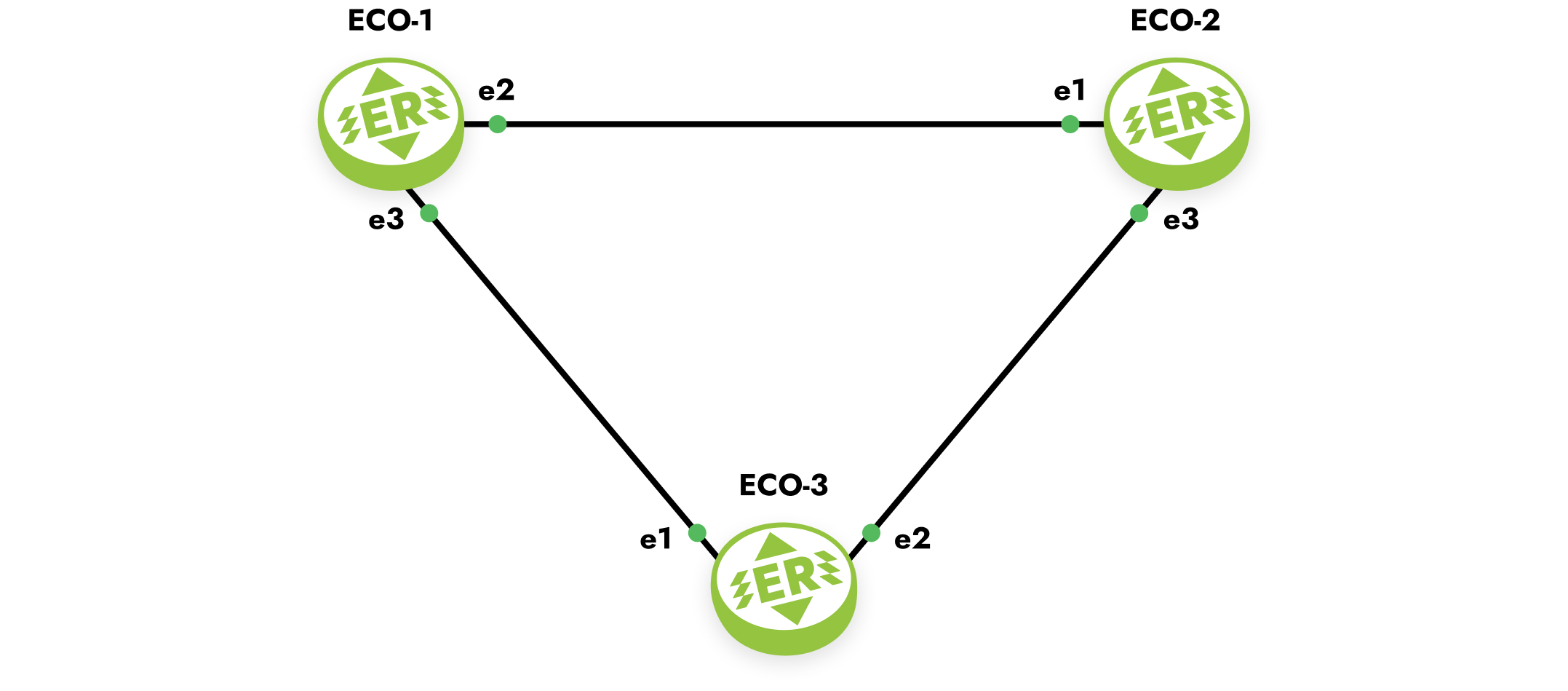
Рисунок
Шаг 1. Задание имени устройства.
hostname ECO-1Шаг 2. Настройка портов, интерфейсов и сервисных интерфейсов.
interface e2
 ip address 10.12.0.1/16

interface e3
 ip address 10.13.0.1/16

port ge2
 service-instance ge2/e2
  encapsulation untagged
  connect ip interface e2

port ge3
 service-instance ge3/e3
  encapsulation untagged
  connect ip interface e3
Шаг 3. Включение маршрутизации.
router isis
 net 49.0001.0000.0000.0001.00
 exit

interface e2
 ip router isis

interface e3
 ip router isis
 exit
Шаг 4. Включение аутентификации между соседями.
key chain test
 key 1
  key-string ecorouter
  exit
 exit

interface e2
 isis authentication mode md5
 isis authentication key-chain test

interface e3
 isis authentication mode md5
 isis authentication key-chain test
Конфигурация оставшихся маршрутизаторов будет аналогичной.
hostname ECO-2
key chain test2
key 2
key-string 0x8de456332b943f870ef377482f699e4c
interface e1
ip address 10.12.0.2/16
ip router isis
interface e3
ip address 10.23.0.2/16
ip router isis
port ge1
service-instance ge1/e1
encapsulation untagged
connect ip interface e1
port ge2
service-instance ge2/e2
encapsulation untagged
connect ip interface e2
router isis
net 49.0001.0000.0000.0002.00
hostname ECO-3
key chain test3
key 3
key-string 0x8de456332b943f870ef377482f699e4c
interface e1
ip address 10.13.0.3/16
ip router isis
interface e2
ip address 10.23.0.3/16
ip router isis
port ge1
service-instance ge1/e1
encapsulation untagged
connect ip interface e1
port ge2
service-instance ge2/e2
encapsulation untagged
connect ip interface e2
router isis
net 49.0001.0000.0000.0003.00